I briefly flew FPV in 2016. I built a ZMR250 — following Oscar Liang’s review — with lots of soldering, firmware flashing, and configuration. I got it in the air and then crashed badly into concrete on the third flight. The only way to continue was a full rebuild, but the motivation wasn’t there yet. Analog video quality was low and I didn’t want to strap an expensive action camera to something I could destroy that quickly. So I put that part of the hobby on the shelf.
Nearly a decade later, after hundreds of flight hours of cinematic flying with different DJI drones, I saw the DJI O4 system and the itch came back. Digital HD video, sub-30ms latency — you can get a full setup under $500 (RC + Goggles + O4 + drone) and be in the air the same day.
But this isn’t just about the hobby. Manual FPV is a completely different skill set from flying consumer DJI drones. As I’m building autonomous systems, I want stick skills to safely recover a drone when autonomy fails in real-world conditions during early phases of testing. Acro mode with a good FPV digital system is the best way to sharpen those skills.
Simulator time in Liftoff helped build the muscle memory. But real-life stick time is a must.
The quad
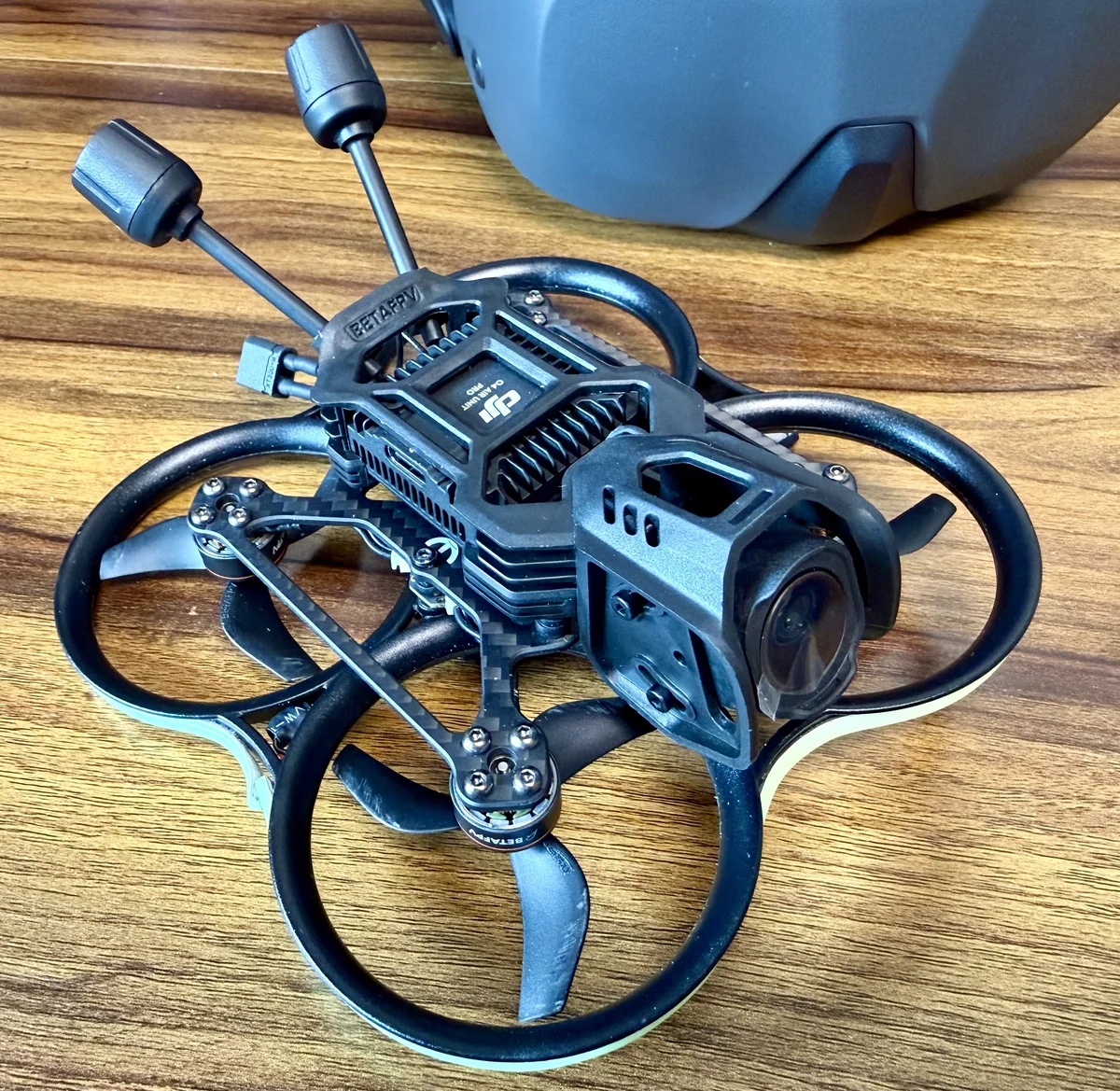
I wanted something small, forgiving, and inexpensive enough that I wouldn’t hesitate to fly it indoors or close to obstacles. The BetaFPV Pavo 20 checked every box: 2-inch props, ducted prop guards, light enough that bumping a wall isn’t a catastrophe. It’s a cinewhoop-class quad — designed for smooth, close-proximity flying rather than speed.
I paired it with the DJI O4 Air Unit. The bind-and-fly version comes ready for DJI — you mount the air unit, activate the unit and the goggles through the DJI app, bind it, and you’re flying.
First flights
The difference between this and my 2016 experience is stark. The ZMR250 was a project that happened to fly. The Pavo 20 is a flying machine that happens to be easy to set up.
The only real hiccup was activation. The O4 air unit and goggles have to be activated through DJI’s companion app — and that app only ships for Windows and macOS. I run Linux on my laptop, so there was no clean path. I ended up digging an old ThinkPad out of a drawer, booting Windows, and running the activation there before going back to flying. Minor in the end — but a reminder that the convenience comes with strings attached.
The O4 video link is genuinely impressive — low latency, high quality, rock solid. Yes, it’s a closed system. But it’s only a matter of time until open alternatives achieve the same characteristics. HDZero and Walksnail are already closing the gap.
After years of flying DJI drones from a phone screen, the immersive goggles experience is something else entirely. The first time I threw a power loop in acro, the adrenaline hit was real.
The bigger picture
Here’s what’s interesting about where the hobby is now. The skill floor for FPV has collapsed — and it’s not just DJI. A whole ecosystem of vendors, off-the-shelf parts, and bind-and-fly airframes has made it possible to buy a drone and fly it straight out of the box. What used to require weeks of soldering and tuning now takes an afternoon of unboxing. The barrier to entry for operators is genuinely low, and that still amazes me.
That matters beyond the hobby. It means the pool of people who can competently fly FPV aircraft is growing fast. For the commercial drone market — inspection, security, cinematography — that’s a shift worth paying attention to. The constraint is moving from “can you fly it” to “can you build the system around the pilot.”
There’s another angle worth noting. The quality and latency of these lightweight video links — even on a 2-inch quad — are good enough to pipe a live feed to an edge compute system on the ground. That means small drones that can’t carry onboard AI modules could still be controlled by powerful inference running nearby. The airframe stays light, the intelligence stays close. That’s an architecture worth thinking about.